
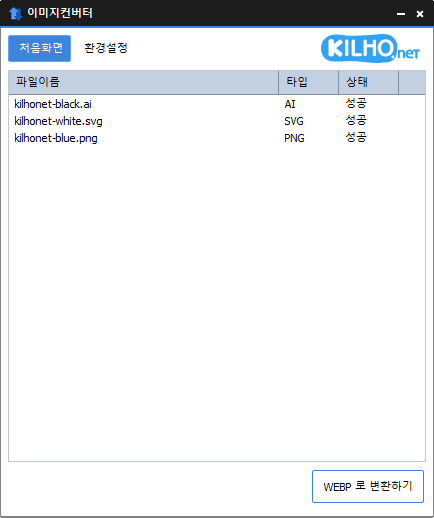
이미지변환기 1.6.2 업데이트

이미지변환기 1.6.2 업데이트

이미지변환기(1.6.2) 가 업데이트되었습니다.

  • 다양한 이미지 포맷을 변경할 수 있습니다.
  • MozJPEG 를 이용하여 더 높은 압축률로 JPG 를 저장합니다.
  • PDF 파일은 페이지마다 이미지 파일이 저장됩니다.
  • 투명 배경인 경우 PNG, WEBP 에서 유지 됩니다.
  • 마우스 우클릭 컨텍스트 메뉴로 변환할 수 있습니다.
  • 설치 없이 사용 가능합니다.

홈페이지

历史

  • Version 1.6.2 (2026/08/17)
    - Improved PDF conversion quality and stability with an upgraded conversion engine
    - Fixed conversion and file detection issues affecting certain PDF and image files
    - Improved cancellation support for safely closing the app during conversion
    - Fixed issues where converted files could be saved to an unexpected location or incomplete files could remain in certain environments
    - Fixed conversion and file handling issues with special characters in file and folder names
    - Improved file saving reliability and protection for existing files
    - Fixed issues where the File Explorer right-click conversion menu might not appear or launch correctly
    - Fixed an issue where File Explorer might not restart properly after uninstalling the app
    - Removed legacy components and improved overall stability and compatibility
    - Improved file list performance and stability
  • Version 1.6.1 (2026/07/16)
    - Improved image conversion reliability, including JPG and multi-page PDF
    - Enhanced detection accuracy for HEIC and other image formats
    - Improved processing stability and memory management across multiple tasks
    - Refined the File Explorer context menu and settings experience
  • Version 1.6.0 (2026/05/20)
    - Fixed inconsistent default value when setting image width
    - Improved PDF conversion stability to prevent occasional freezes and leftover files
  • Version 1.5.9 (2026/04/10)
    - Made it easier to choose size and output format right after adding files
    - Moved size settings to a more convenient spot for a smoother workflow
    - Added height-based resizing for more flexible size control
    - Improved the auto-convert flow so it finishes more smoothly
  • Version 1.5.8 (2026/03/01)
    - Fixed an issue where certain image files were not recognized correctly
    - Improved stability for detecting newer image formats

관련링크

라이센스

  • 이미지컨버터는 Freeware 입니다.
  • 회사, 집, 관공서, 학교 등 공간 제약 없이 마음대로 사용하실 수 있습니다.
  • 자유롭게 어디에나 배포가 가능합니다.

下载

자주 묻는 질문(FAQ)

  • 이미지변환기는 무료인가요?
    네, 이미지변환기는 가정, 회사, 관공서, 학교 등 모든 곳에서 무료로 자유롭게 사용할 수 있습니다.
  • 어떤 이미지 포맷을 지원하나요?
    PDF, SVG, PSD, PNG, JPG, GIF, WEBP 등 대부분의 이미지 포맷 변환을 지원합니다.
  • JPG 이미지를 압축률 높게 저장할 수 있나요?
    네, MozJPEG 기술로 기존 JPG보다 더 높은 압축률로 저장할 수 있습니다.
  • 설치 과정이 필요한가요?
    아니요, 이미지변환기는 별도의 설치 없이 바로 사용할 수 있습니다.
  • 여러 이미지를 한 번에 변환할 수 있나요?
    네, 여러 이미지를 동시에 드래그하여 목록에 넣은 뒤 한 번에 변환할 수 있습니다.

Leave a Reply

이메일 주소는 공개되지 않습니다. (* 질문, 건의사항 등은 "질문게시판"을 이용해주세요)