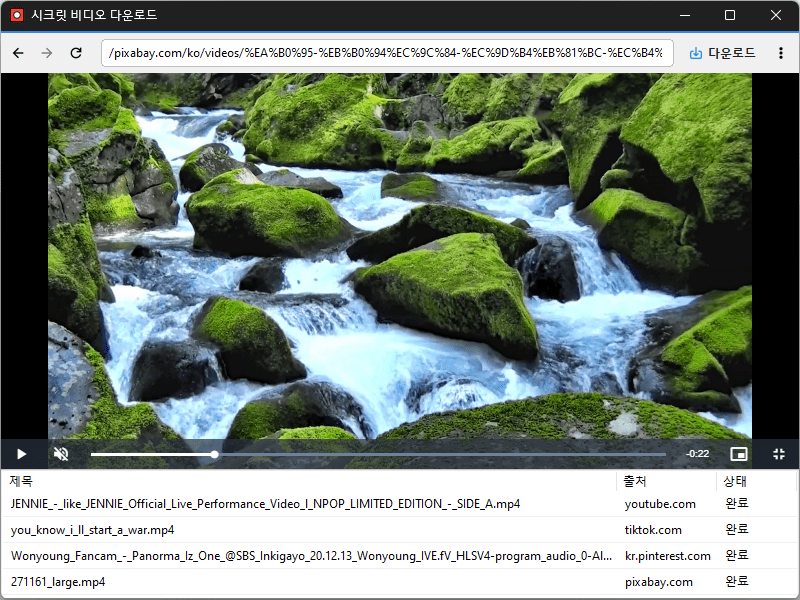
Version 1.3.0 (2026/09/16) - Added Picture in Picture mode to keep videos playing in a compact window - Added saved position and size settings for the Picture in Picture window - Improved the download button so it appears only when a playable video is ready - Added a dedicated window for checking all downloads at a glance - Added options to open downloaded files, open the save folder, visit the source page, and remove items - Added video thumbnails and clearer progress displays to the download list - Added Windows notifications for completed downloads and saved captures - Added full page image capture with Ctrl+P - Improved video detection for some users who were seeing advertisements instead of the main video - The app now remembers window position, size, and maximized state - Optimized startup performance, installation size, and overall stability
Version 1.2.1 (2026/09/07) - Fixed an issue that prevented downloads from starting with some N-company TV Shorts links - Improved N-company TV Shorts link recognition
Version 1.2.0 (2026/08/25) - Improved download stability for videos you have permission to save - Improved handling of video download errors on a supported website - Added seamless support for shortened youtu.be links - Enhanced stability by fixing download errors affecting specific user settings
Version 1.1.9 (2026/08/18) - Improved video download stability on a supported website - Fixed repeated unnecessary windows on some systems - Added completed item removal and re-download support - Added multilingual support for the delete option
Version 1.1.8 (2026/08/12) - Added full-page screenshot capture for easy image saving (Ctrl+P) - Added Spanish (es) language support




Leave a Reply